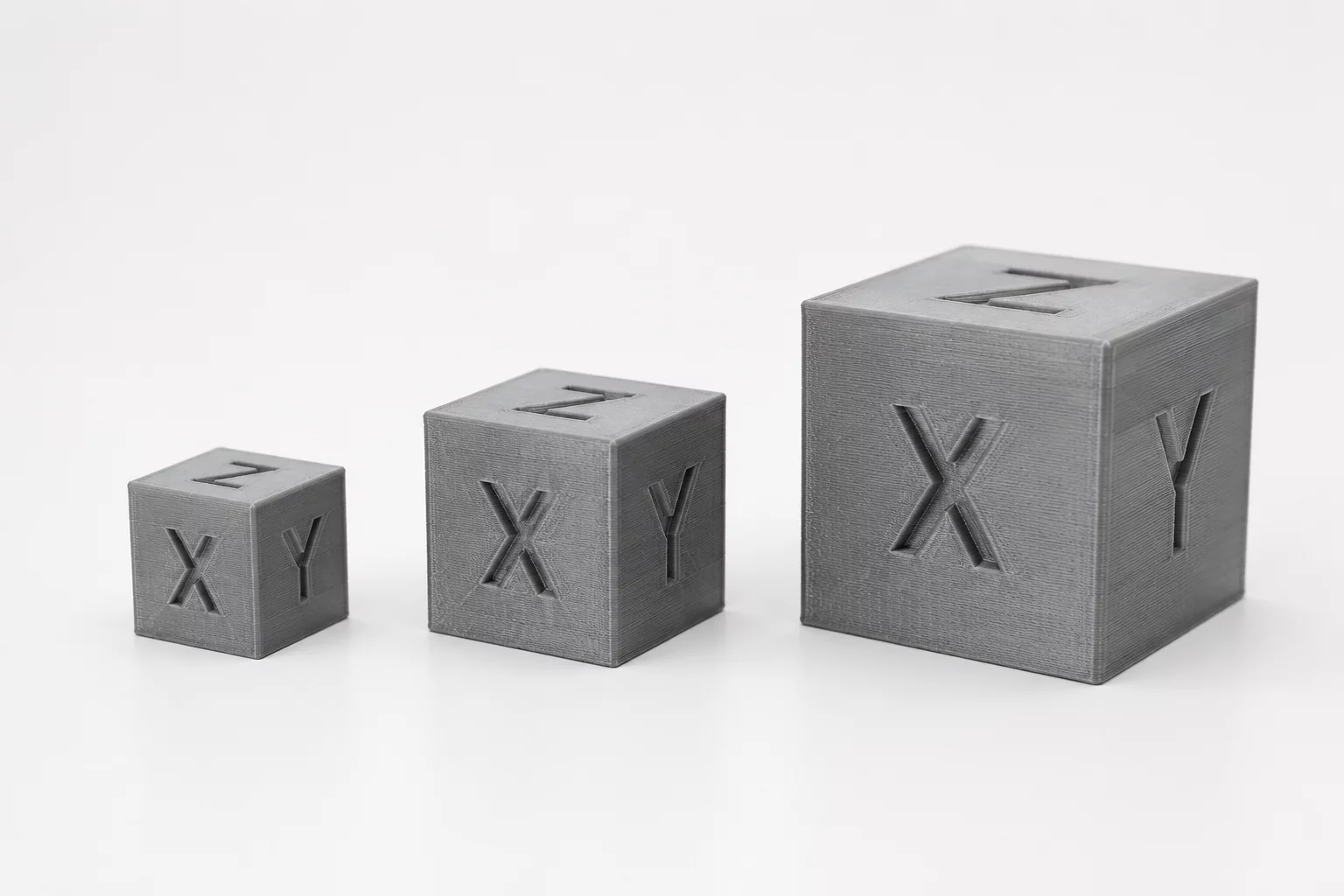
Classroom Scale & Dimension Objectives
Working with proportions requires students to look beyond single linear dimensions. When designing physical parts or digital representations in Tinkercad, altering the width, depth, or height independently disrupts the original aspect ratio and changes how components interact within an assembly. Understanding uniform versus non-uniform scaling helps learners predict volumetric shifts before committing models to 3D printing.
In this practical exercise, learners investigate geometric bodies scaled at different ratios. They measure physical reference cubes, compute surface area and volume transformations, and recreate matching digital models. Through hands-on observation, students discover why doubling every dimension results in an eightfold increase in material volume rather than a simple doubling effect.
Proportion & Measurement Rule
Scaling all three spatial axes by factor k multiplies surface area by k squared and internal volume by k cubed. Maintaining precise proportions prevents assembly distortion and unexpected material consumption.
Step-by-Step Educational Workflow
Guide students through three sequential phases where physical verification precedes virtual workspace adjustments. Each phase builds direct intuition by connecting physical tactile measurements to digital Cartesian coordinates.
Stage 1: Physical Reference Measurement
Measure the baseline side lengths of reference blocks using digital calipers. Record values for X, Y, and Z dimensions to the nearest tenth of a millimeter on your worksheet.
Stage 2: Translating Values into Tinkercad
Replicate the baseline block on the Tinkercad workplane. Apply uniform scale modifiers (holding Shift) to generate 1.5x and 2x proportional versions while monitoring millimeter readouts.
Stage 3: Testing Tolerances & Clearances
Compare the volumetric calculations against the slicer print time and filament estimates. Verify that the scaled parts retain identical relative corner angles and aspect proportions.
Formulas and Spatial Checks
Quantitative checks confirm whether visual representations match mathematical definitions. Students apply ratio formulas to check geometric similarity across axes.
- Verify that the aspect ratio X:Y:Z remains constant across all scaled variations.
- Calculate scale factor k = Target Dimension / Original Dimension before inputting CAD values.
- Check joint clearances and wall thicknesses to ensure scaled thin features remain printable.
Connecting linear measurement to volumetric understanding equips learners with essential spatial foundations for engineering, architecture, and advanced additive manufacturing workflows.
Sarah Jenkins
STEM EducatorOur 7th graders were stunned when calculating the filament weight difference between the 1x and 2x cubes. Seeing the 8x volume math play out on the digital scale really drove the concept home!